Getting started
Install the methodology skill and the Copilot canvas, verify both are available, then run /problem-based-srs and open the result with /live.
Problem-Based SRS is a plugin that extends your AI harness — Copilot first — to handle Software Specifications. Start a session in minutes, learn the ideas behind the traceability chain, wire it into your pipeline, and browse every command and Navigator feature in one place.
Install and verify the methodology skill and SRS Navigator before opening the graph.
npx skills add RafaelGorski/Problem-Based-SRS
This installs the problem-based-srs methodology skill (Node.js and npm required).
install_extension({ url: "https://github.com/RafaelGorski/Problem-Based-SRS/tree/main/.github/extensions/srs-navigator", scope: "user" })
Run this in Copilot to install the srs-navigator canvas extension.
problem-based-srs + srs-navigator
Ask Copilot to verify the skill is discoverable and the canvas is available, then run /live. With no spec, the Navigator offers the demo and learn-from-codebase paths.
To start the methodology directly, run /problem-based-srs and describe your project.
Or jump straight to the step you need:
Guided walkthroughs, from a blank project to refining a spec alongside the agent.
Install the methodology skill and the Copilot canvas, verify both are available, then run /problem-based-srs and open the result with /live.
Describe a real situation in one paragraph, then let the agent guide the full sequence: business context, customer problems, a software glance, needs, a software vision, and functional requirements. End with 100% traceability from every requirement back to a problem.
Then open the NavigatorInherited a system with no spec? Open the Navigator on an existing project and choose Learn & Create Spec. It harvests evidence from your code, README, and docs, brings it back as a short round of questions to confirm what actually hurts, then drafts problems, needs, and requirements for you to refine.
See how the Navigator drafts itThe three ideas that make a Problem-Based specification hang together.
Every artifact answers one question and links to the next. A Customer Problem states why, a Customer Need states what, and a Functional Requirement states how. You can always walk backward from a line of work to the problem that justifies it.
CP CN FR
.spec folderArtifacts are written to a hidden .spec/ folder at the project root, so the specification lives beside the code it drives, versioned in git.
.spec/
├─ 00-business-context.md
├─ 01-customer-problems.md
├─ 02-software-glance.md
├─ 03-customer-needs.md
├─ 04-software-vision.md
├─ functional-requirements/
│  └─ FR.01.1.1-[short-name].md
└─ non-functional-requirements/
└─ NFR.01-[short-name].mdIDs encode the chain itself, so a requirement's name tells you which need and problem it serves.
Not every problem carries the same weight. Each is classified so priority reflects real impact, not the loudest voice in the room.
Keep the specification honest and shippable without manual bookkeeping.
Walk the chain in both directions to catch gaps: problems with no need, needs with no requirement, and requirements that trace to nothing. Run it any time the spec changes.
/problem-based-srs validateThe optional complexity pass adds an Axiomatic Design score for independence, completeness, and information content.
The methodology plugin ships through a single build script that validates the manifest and every skill, then packages a versioned artifact.
python scripts/build-plugin.py build --version X.Y
gh workflow run create-release.yml --ref main -f version=X.Y
The SRS Navigator app releases on its own vX.Y.Z track, gated by npm test. The two pipelines never share a tag.
Event handlers live in hooks/hooks.json and default plugin behavior in settings.json, so a team can standardize how the methodology runs across projects.
A GitHub Copilot canvas that renders your .spec/ folder as an interactive graph, then lets you decompose and iterate on it beside the agent.
Launch the Navigator without a spec and it offers to read your current system and draft one. No blank page.
Prefer your own file? Load a .spec JSON. Just looking? Explore the demo.
Load or generate a specification to visualize as an interactive graph.
The Navigator reads your .spec/ folder and draws each artifact as a node in a force-directed graph. Traceability links are dashed; drag to rearrange, scroll to zoom, and search any node by name.
Every node is color-coded by type:
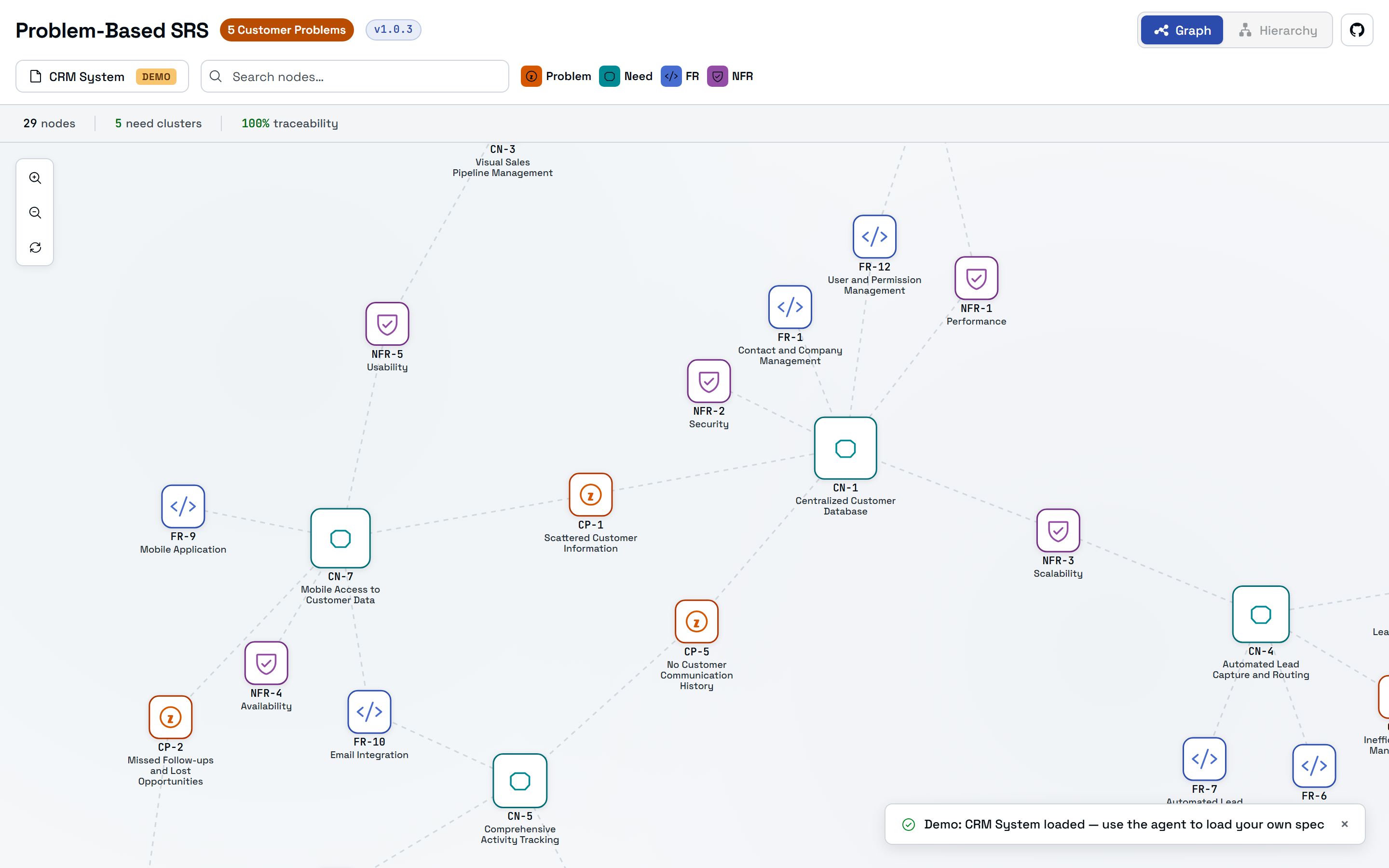
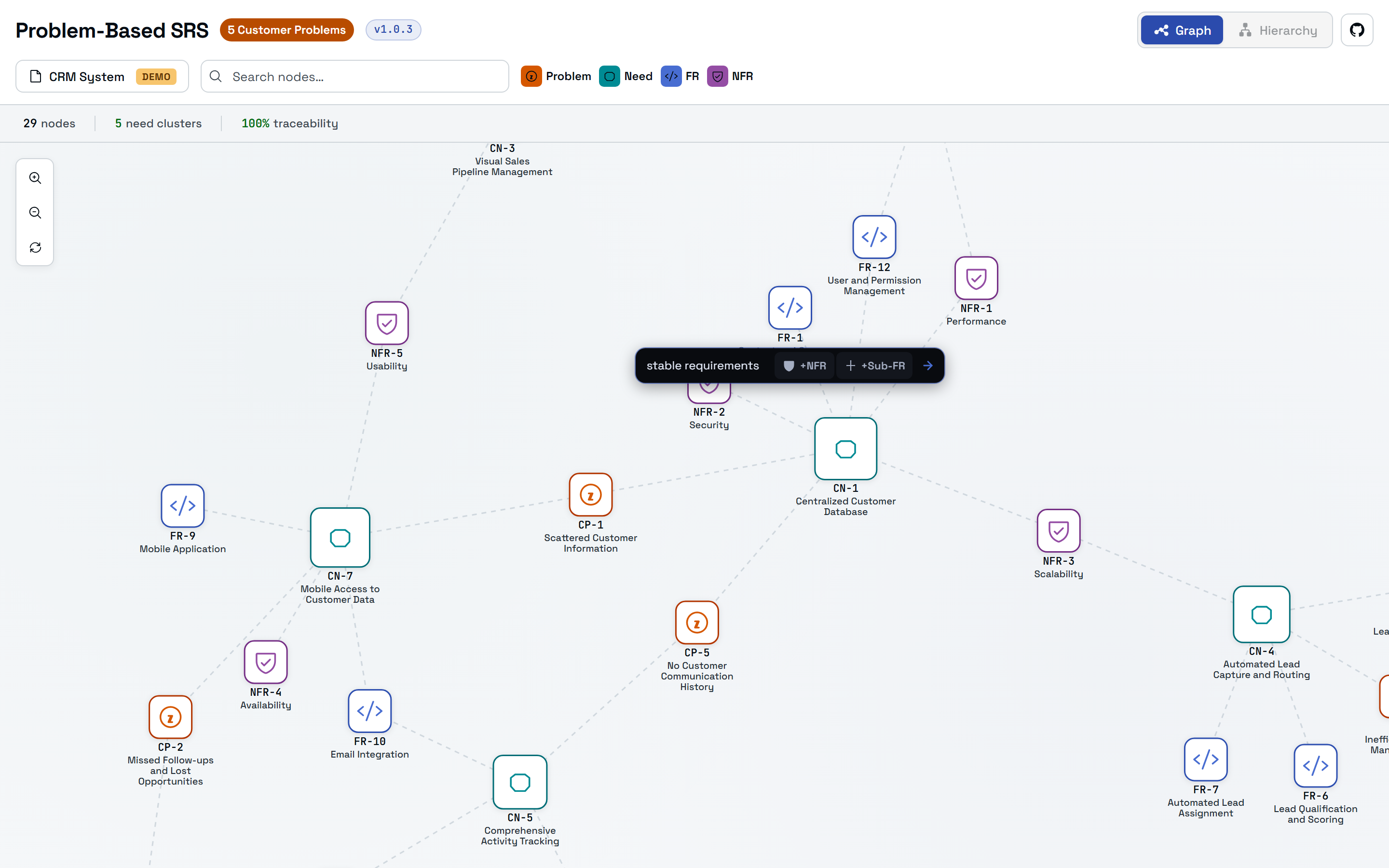
Hover any node to reveal a floating action bar. Type an instruction, then pick an action: derive the next artifact downstream, or decompose the node into finer-grained, independently testable sub-items. Each action runs the methodology skill that owns that step.
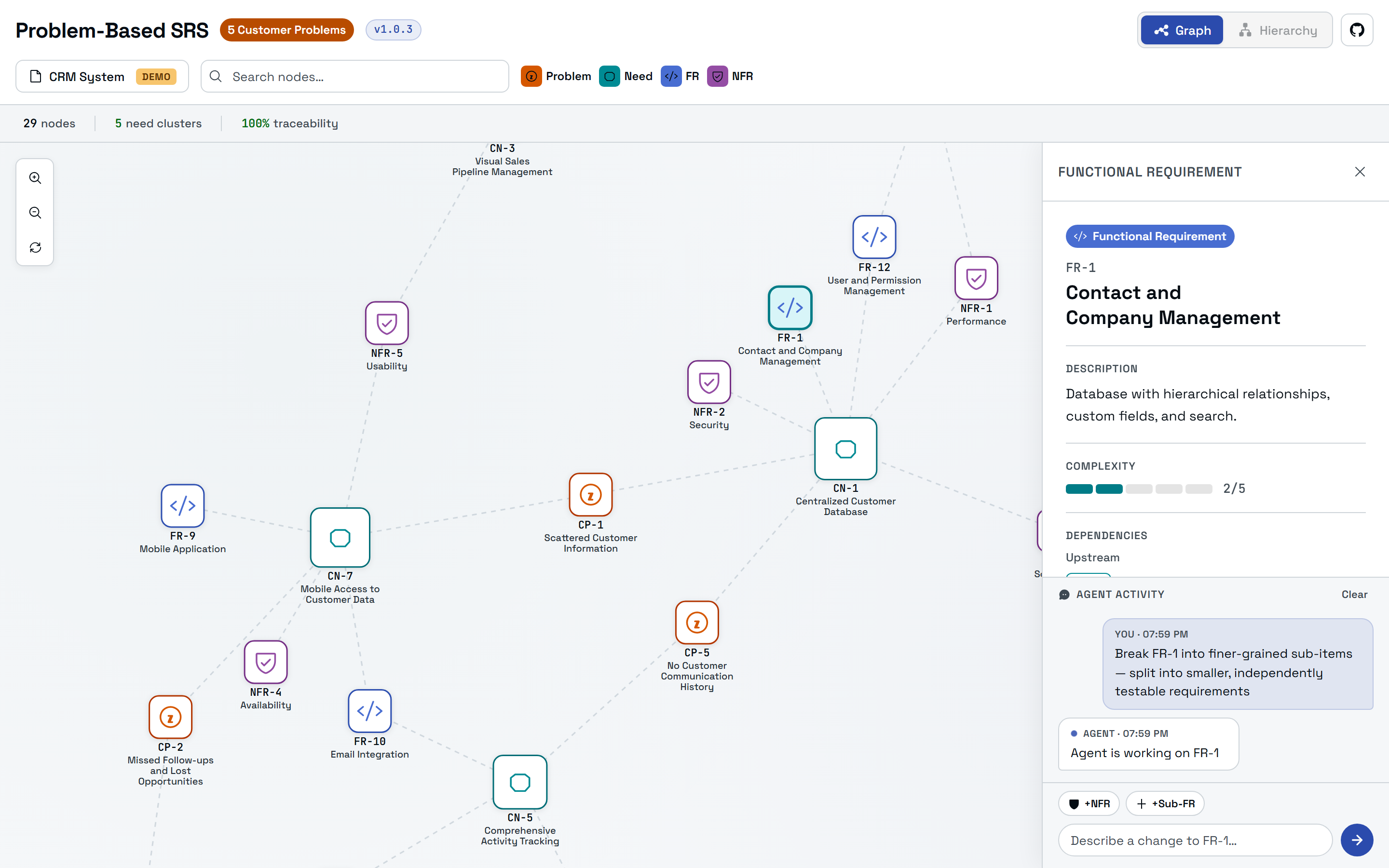
Triggering an action opens the node's detail panel (description, a complexity score, and its upstream and downstream traceability) next to a live Agent activity log. Your request runs through the skill, the spec files are edited, and the graph refreshes on its own.
One command, /problem-based-srs, drives every step. Pass an action to run a single skill, or run it bare for the full walkthrough.
Context
Capture project identity, business principles, stakeholders, and domain boundaries before a single problem is written.
Discover
Surface the real Customer Problems behind a request and classify each by severity: obligation, expectation, or hope.
Sketch the first abstract picture of a solution: components, boundaries, and interfaces, for a shared understanding before details.
Translate each problem into the Customer Needs that state what the software must deliver. Every need traces to a problem.
Specify
Turn the glance and needs into positioning, stakeholders, features, and architecture: the technical roadmap.
Derive detailed, testable Functional and Non-Functional Requirements, each traced backward to a need and a problem.
Validate
Walk the CP → CN → FR chain to find orphaned problems, unmet needs, and untraceable requirements.
Optional Axiomatic Design pass: score independence, completeness, and information content of the specification.
Works with AgentSkills-compatible tools: GitHub Copilot, Claude Code, Claude.ai, Gemini CLI, and others.